Structural analysis that shows its work.
Frames, shear walls and slabs. NBC 2020 and ASCE 7 loads. CSA, ACI and AISC design with step-by-step calculation sheets, and an AI assistant that edits the live model. In your browser or on Windows.
Ask in plain English. Watch it edit the model.
A real session on a 25-storey podium-and-twin-tower model, sped up. Four requests: diagnose the failing checks, add shear walls, rescale the spectrum, show the result. Every edit is shown and undoable.
A five-storey office, analysed and strength-checked in seconds
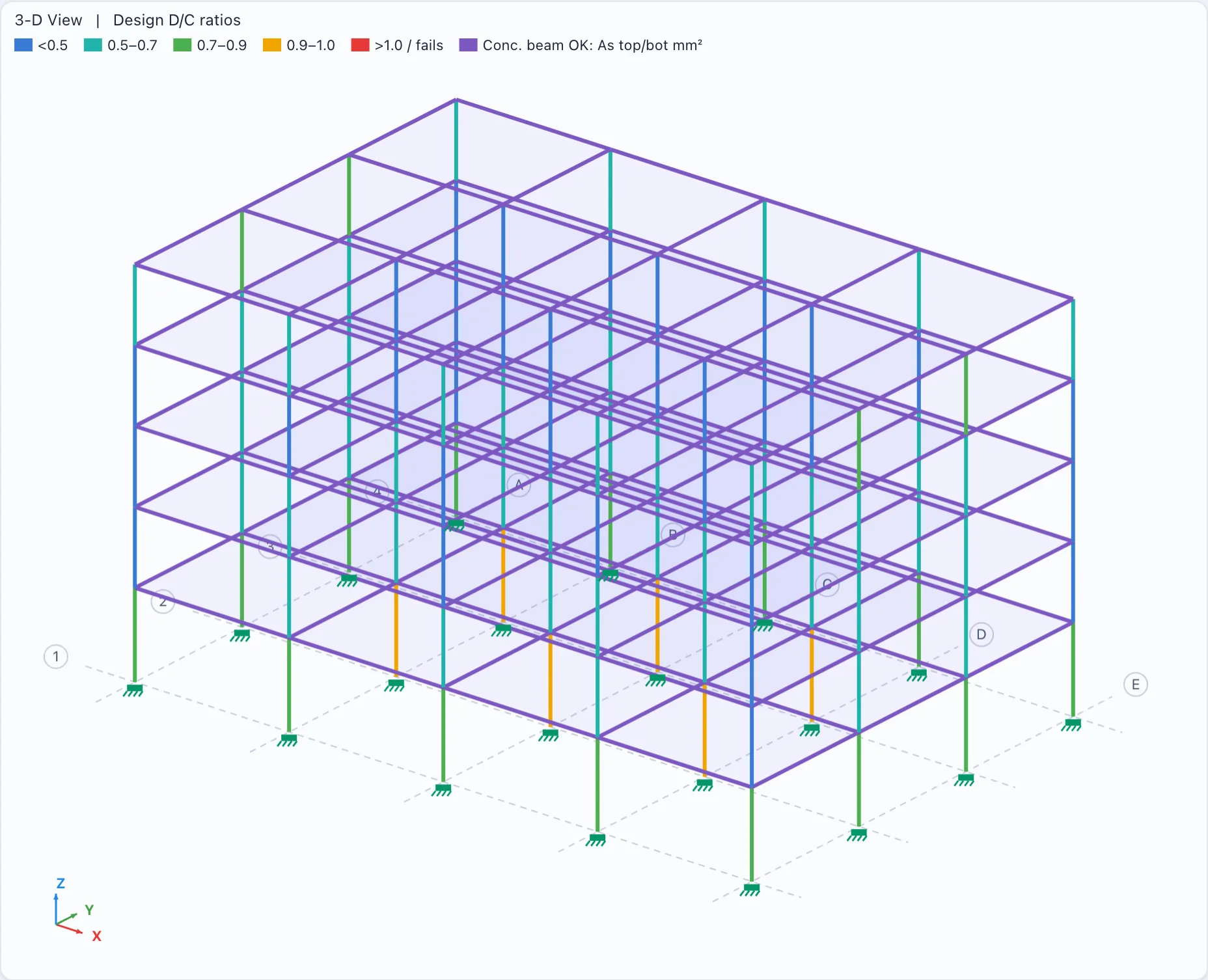
Most projects aren't towers. A typical concrete moment-frame office (4 × 3 bays, five storeys, ASCE 7 seismic and wind, response spectrum) analyses in under half a second in the browser, and all 255 beams and columns are checked to ACI 318-19 with utilisation shown on the model. Seismic detailing is listed as not checked, for the engineer to review.
- Gravity, ELF, wind and response spectrum cases with code combinations
- Concrete beam steel areas and column interaction checks
- Drift, deflection and hand-check report on every run
No black boxes. Every number traceable.
Each design check prints the clause, the formula with your numbers in it, and the result. Every load case is re-checked by hand after each run.
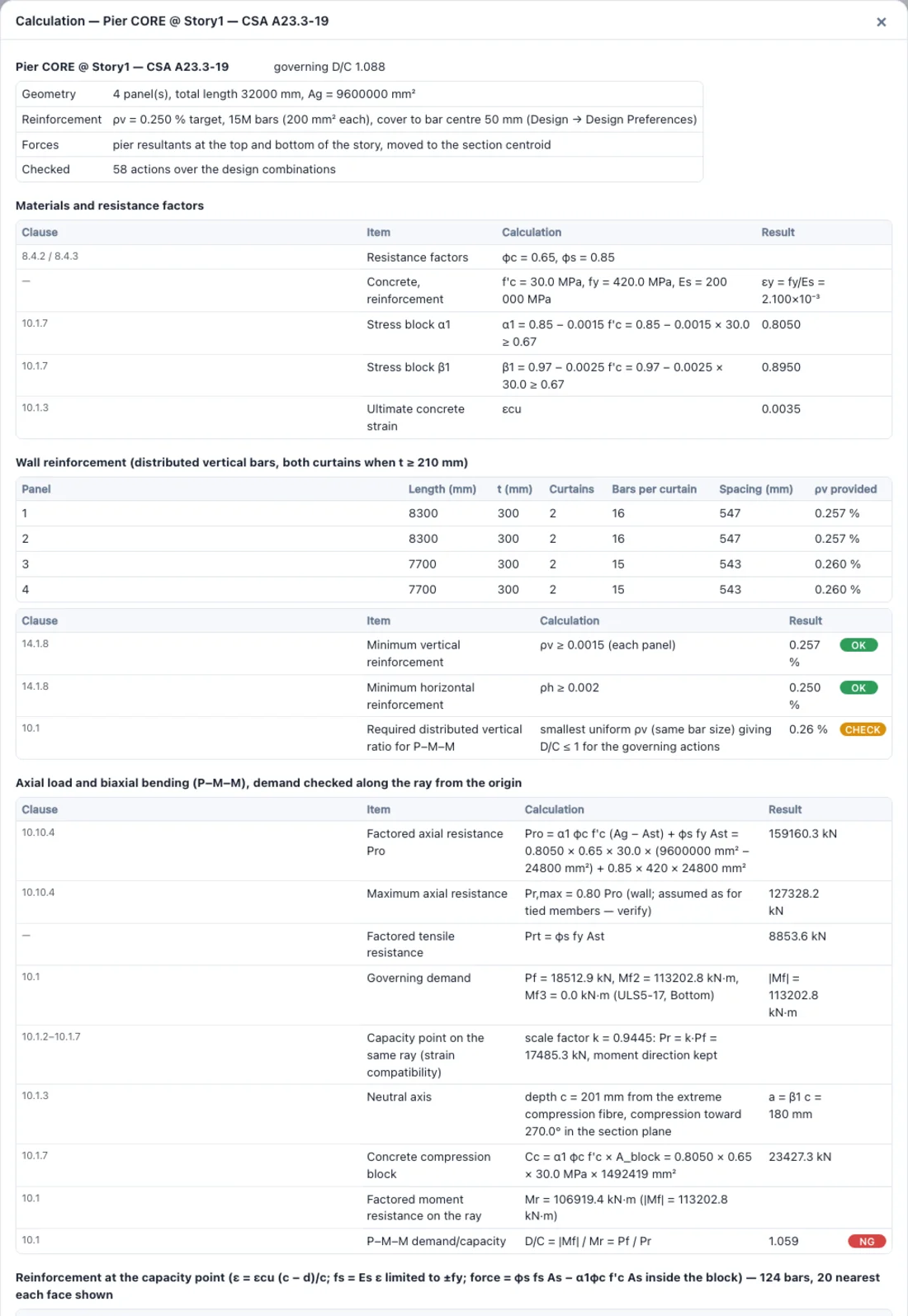
Calculation sheets you can hand-check
Biaxial P–M–M by strain compatibility on the real section, including L, C, T and box walls. Bar-by-bar strains, the shear method used, and what is not checked.
Walls and slabs as real shell elements
A 30-storey core-wall tower, 15,030 equations, about 5 seconds in the browser.
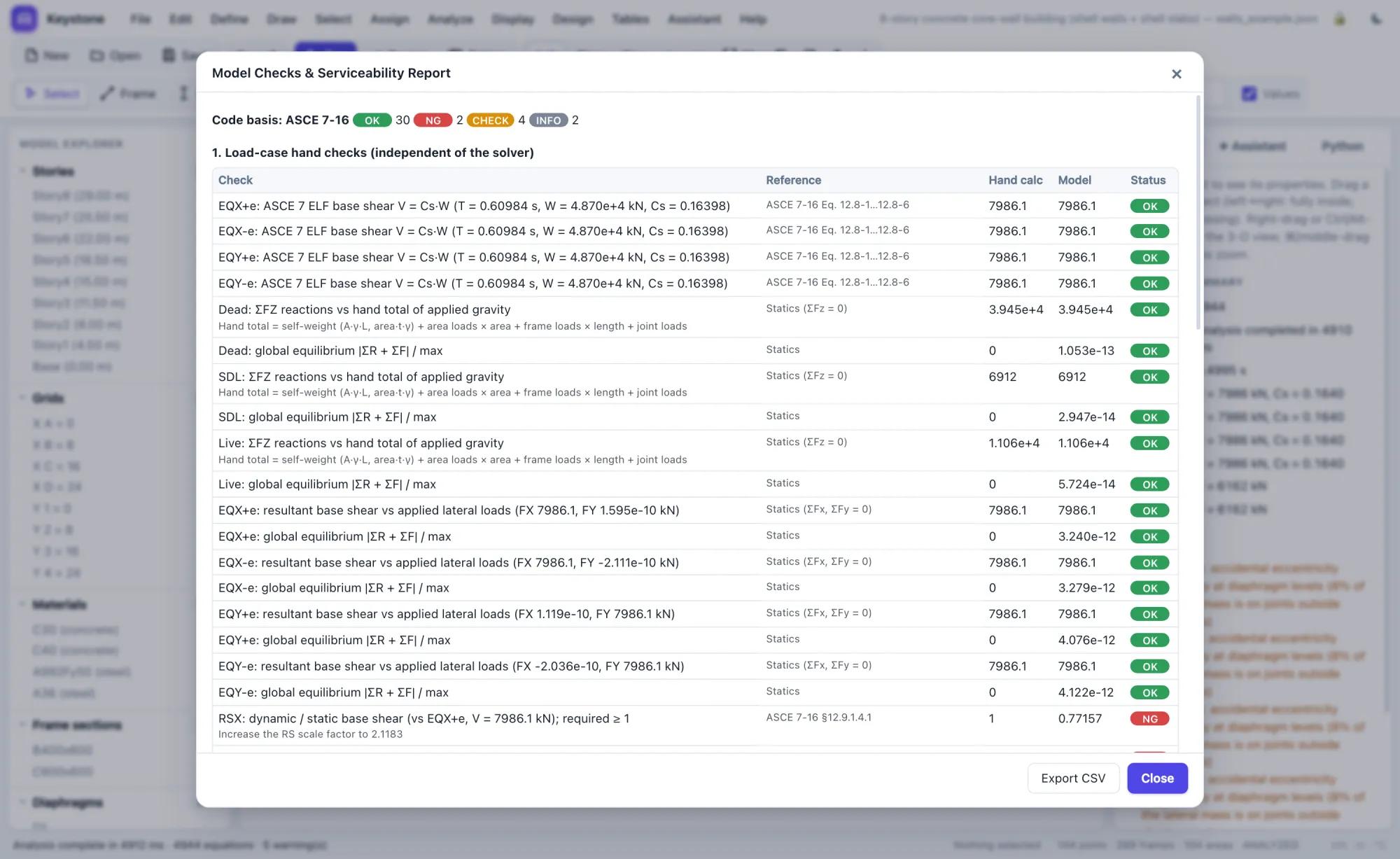
An independent check of every load case
Gravity, base shear, wind, spectrum scaling, drift and deflection, recomputed by hand after every run.
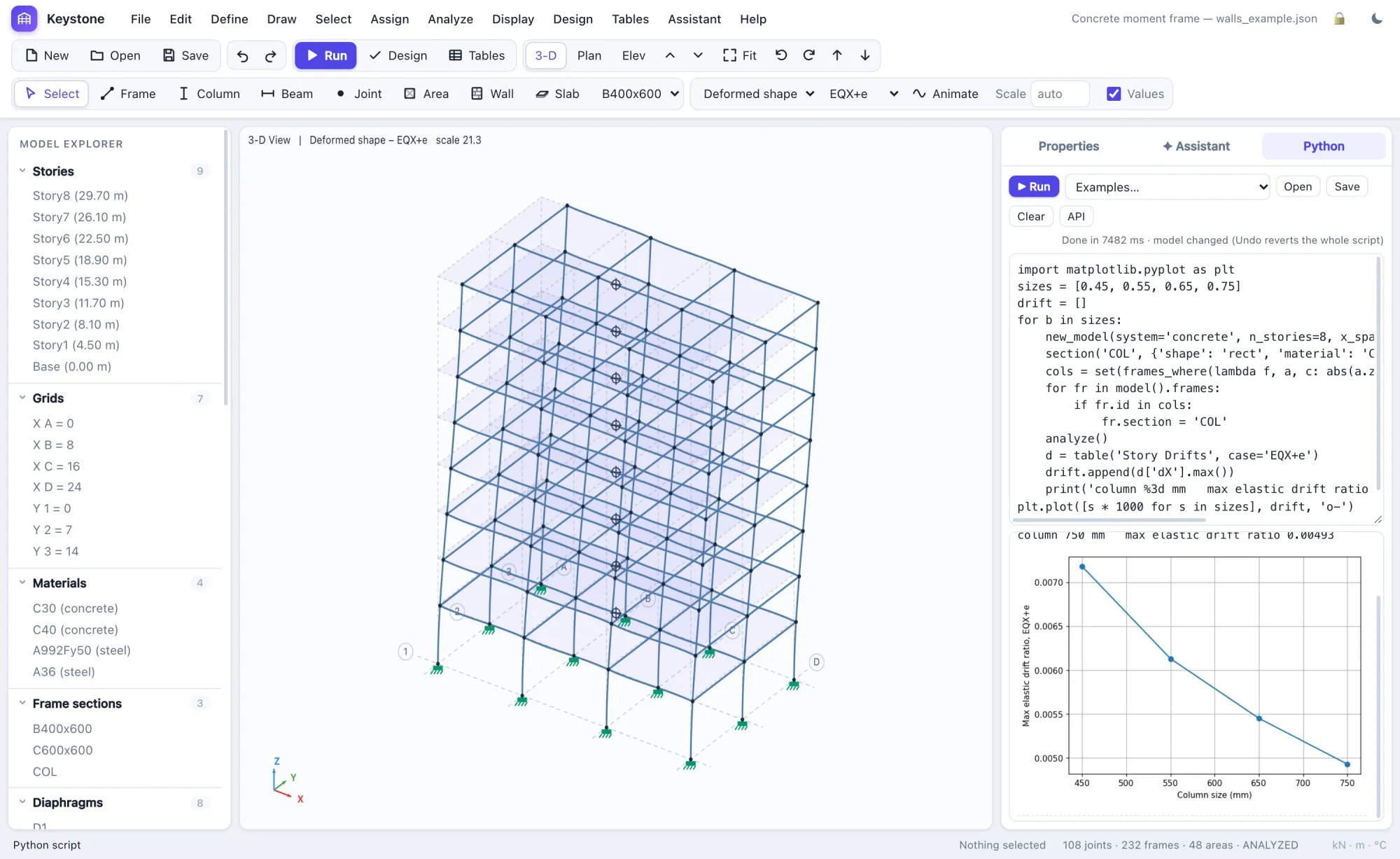
Parametric studies in a few lines
numpy, pandas and matplotlib inside the app, offline.
Opens your ETABS models
.e2k in the browser; .EDB and side-by-side comparison in the Windows app.
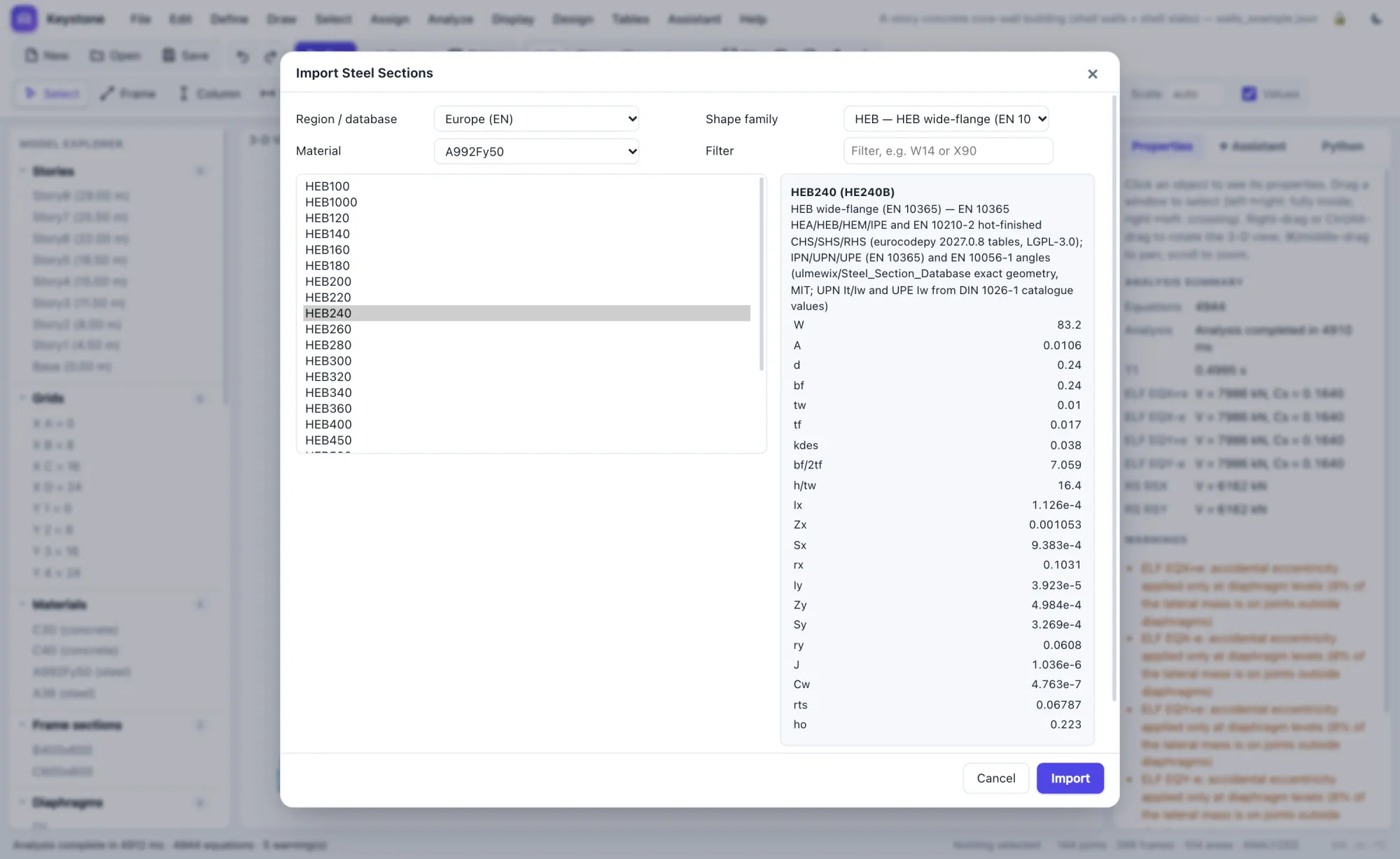
Nearly 4,000 steel shapes from six regions
AISC, CISC, EN, IS 808, BS and AS/NZS shapes and 79 material grades, each with its source.
Checked against OpenSees on every release.
Frame statics, modes and seismic loads, shells and slabs are compared with OpenSees and closed-form solutions before anything ships. See the benchmarks.
relative difference from OpenSees on frame statics, modes and seismic loads
shell wall and slab results vs. OpenSees
automated tests run before each release
to solve 28,185 equations in the browser on an Apple M3 laptop
From ETABS model to calc package.
Bring the model you already have. Leave with a printable package.
Open
Import .e2k models, or .EDB through ETABS on Windows. Units, auto lateral loads and combinations come with them.
Analyse & ask
Run gravity, ELF, wind and spectrum cases. Ask the assistant why drift changed, or have it make the fix.
Package
One PDF: cover, model summary, loads, results, checks, design tables and every calculation sheet.
Bring your next building.
Free during the beta. We'll help you bring over your first ETABS model.